
-

SIGNING CONFIGURATION PROFILES
Many MDM solutions sign the configuration profiles you’ll distribute via MDM using their own developer certificate. However, if for any reason you need to install the profiles manually on devices, it might be a good idea to sign them with a developer certificate first.
-
APPLE BUSINESS MANAGER DOMAIN VERIFICATION
As of the day you open (and verify) your Apple Business Manager account, you can start creating Managed Apple Accounts. However, for every account you create as of the first day, the @organizationname.appleaccount.com domain address will be used. If you want to use your organization’s own domain address instead of this address that Apple assigns…
-
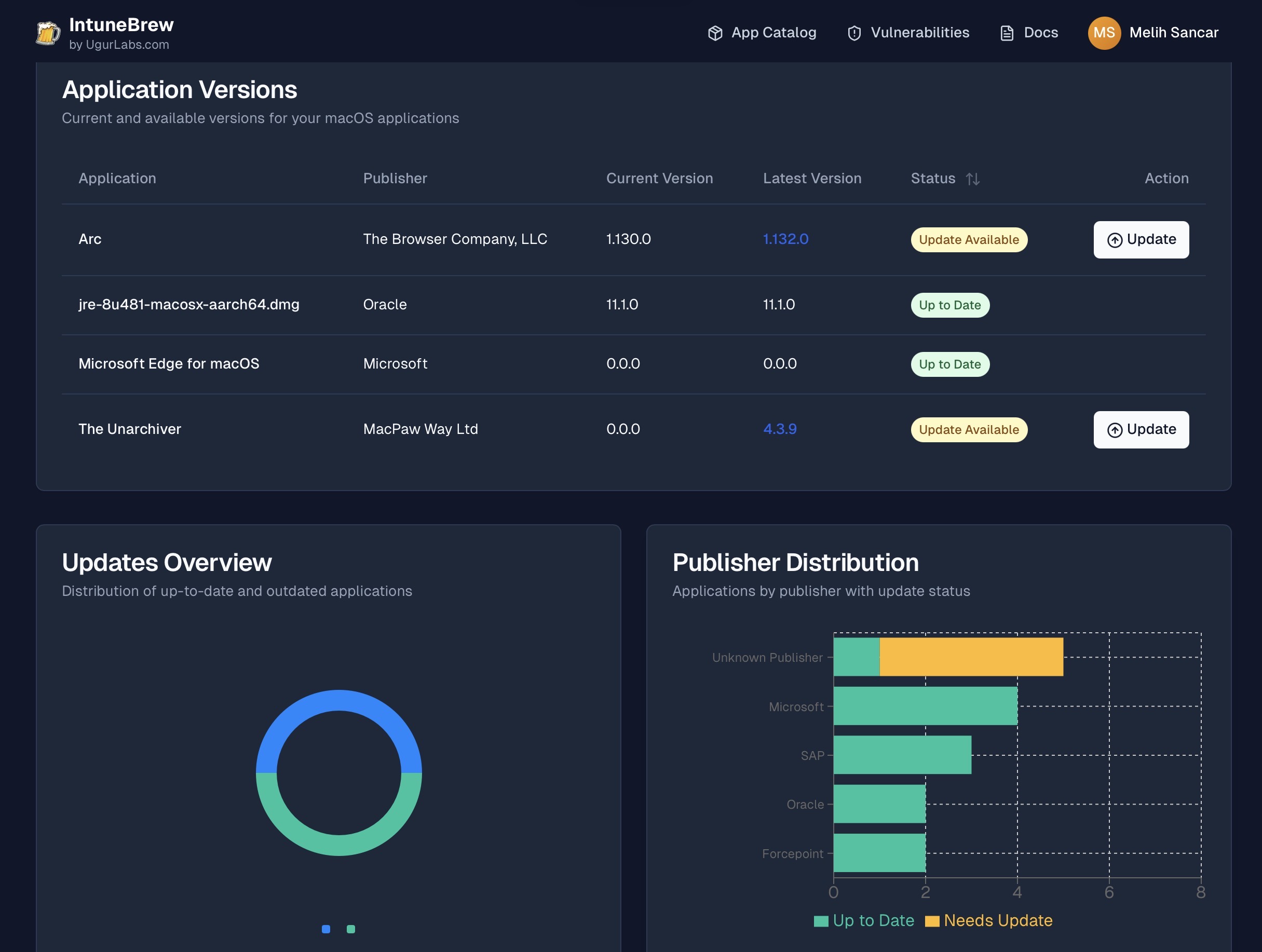
MEET INTUNEBREW
With IntuneBrew, which offers a similar functionality to Brew or Installomator scripts for Microsoft Intune, you can install any app of your choice from a wide range of Mac apps into Intune. The script makes it easy to track updates and security vulnerabilities, in addition to app deployment.
-

APPLE CREATOR STUDIO BUNDLE IDs
As of January 28, 2026, Apple combined the Keynote, Numbers, and Pages applications under a single roof on all operating systems with the Creator Studio subscription. Within the scope of this bundle are Apple’s professional content production tools like Final Cut Pro, Motion, and Logic Pro, along with the applications formerly named iWork. But this transition can create serious confusion…
-

APPLE BUSINESS MANAGER API: AN INTRODUCTION
Managing the Apple ecosystem at the corporate level is quite easy when only a few devices are involved. But when the number reaches the hundreds or thousands, manual operations can turn into an operational nightmare. This is exactly the point where the Apple Business Manager (ABM) API comes into play.
-

THE LAST STEPS BEFORE TAKEOFF: LIFTOFF
A device registered with MDM begins to download a significant portion of the policies and applications once it accesses the desktop. However, the user is unaware of this. And the moment they reach the desktop, they assume the process is complete. The solution is to prevent the user from reaching…
-

APPLE ACCOUNT ACCESS PRIVILEGES
Is access to cloud services like iCloud enabled at your organization? Many organizations block access to such services for information security reasons. If you’re using an MDM or UEM solution to manage your Apple devices, you must immediately disable iCloud services under the “Restrictions” section to meet these requirements. In…
-

ON RDMA NETWORKING
As you know, Apple released the macOS 26.2 update last week. Among the innovations that came in this update was RDMA networking support over the Thunderbolt 5 port. So what is this RDMA networking? RDMA is a technology that is the abbreviation of the words Remote Direct Memory Access. By setting up an RDMA network, it’s possible to jointly use the…
-

DELETING APPS FROM APPLE BUSINESS MANAGER
You wanted to try an app. And by logging into the Apps section in Apple Business Manager, you purchased it in the quantity you wanted. But then you noticed that this app is not suitable for your organizational needs. You want to delete it from Apple Business Manager. How do you delete it?
-

DOWNLOADING macOS TAHOE FROM TERMINAL
If you have a Mac with an old version of macOS installed and you want to move to macOS Tahoe, you can simply do this operation from the System Settings > General > Software Update section. But if you’re already on the macOS Tahoe version and you want to download the Tahoe version again, the…
-

ABOUT THE APPLE DEVICE SUPPORT EXAM
Apple has a certification program. It’s not new either. It has existed for about 20 years. Although it’s not as well-known as Microsoft, Cisco, or other vendors, a considerable number of people hold Apple certifications. Yes, in our country too… On the IT side, there are two certification exams. -…
-

WORKING WITH DOCUMENT VERSIONS
Do you back up your computer with Time Machine? If you haven’t done so until now, I recommend you do it at least once now as a precaution. A version history similar to Time Machine backups is automatically kept for the documents we create on our Mac. You don’t need to do anything…
-

GETTING SYSDIAGNOSE REPORTS
When you experience some problems on the Apple device you use, you may need to obtain diagnostic data to get to the root of these problems and gain in-depth information about your device. We can liken this diagnostic data to the tests that the doctors we go to for our…
-

BITLOCKER for MAC: DOES IT EXIST?
We use FileVault for full disk encryption on our Macs. FileVault is macOS’s Full Disk Encryption (FDE) solution that uses the AES-XTS encryption algorithm with a 256-bit key. Personal and corporate uses of FileVault are possible.
-

MEET THE INSPECTOR
On this blog, I mostly share content focused on Apple device management. In addition to that, I believe it may be useful to sprinkle in some features that, although they have been inside our operating systems for years, don’t catch users’ attention. This short article is about a feature like…
Kategoriler
- Best Practices (21)
- How To Guides (24)
- News & Updates (17)
- Reference (26)
- Tips & Tricks (7)
- Trivia (13)
- Uncategorized (1)
Blog Arşivi
- October 2026 (8)
- September 2026 (3)
- August 2026 (2)
- July 2026 (3)
- June 2026 (4)
- May 2026 (4)
- April 2026 (2)
- March 2026 (3)
- February 2026 (4)
- January 2026 (4)
- December 2025 (1)
- November 2025 (6)
- October 2025 (7)
- September 2025 (6)
- August 2025 (7)
- July 2025 (4)
- June 2025 (9)
- May 2025 (3)
- April 2025 (2)
- March 2025 (5)
- February 2025 (9)
Etiketler
ab abm addigy admin ai apple appleaccount applebusiness applebusinessmanager apple business manager Appleid Apple Remote Desktop application Beta compliance configurator ddm dep dock enrollment filewave goldengate installomator intel intune ios ipados iPhone iru jamf json kandji mac macos mdm microsoft platformsso pppc recovery rosetta scipt server slack tahoe terminal timemachine utm virtualization vpp wwdc