
Not a day goes by without someone whose actual profession is being a greengrocer or a car mechanic or a costume designer quietly approaching you and saying “Bro, I developed an app in 2 hours with AI.” This time it’s me personally before you, sir, with a Mac application I developed using the Vibe Coding method. Thanks to Claude Code, it did whatever I said. It didn’t make me say anything twice.
The name of the application is Posterr. You can download the application for free from this address.

What Does This Posterr Do?
As MDM admins, when you want to update the Wallpapers — that is, by their old name, the Desktop Pictures — on client computers, you need to do two operations to do this:
- Getting the corporate background image to the client computer
- Fixing the wallpaper with a profile you’ll send via MDM.
You can write a bash script containing the curl command that can enable you to load any photo located at a URL (for example, on the company’s CDN server) to a specific address on the user’s computer, and send this to the devices. But a firewall rule that changes within the company can invalidate the URL you get the image from.
Or, if there’s no active user session, the script may not be able to be delivered to the user device the moment it’s triggered. You can set it to run again every few hours or once a day. But this too will create unnecessary network traffic.
For this reason, using PKG documents for the files you’ll send to users is a more effective method than distributing with a script. Any Apple admin can convert any content into a PKG via Terminal with the pkgbuild command and carry out the distribution by uploading it to their MDM. The only problem here is that having to create a PKG via Terminal again every time a wallpaper change time comes can start to bore admins after a certain point.

Posterr comes in handy exactly at this point. For example, for a wallpaper you’ll change once a week, you drag and drop the image you want into Posterr. And it creates a PKG containing this image. And you distribute this PKG with your MDM.
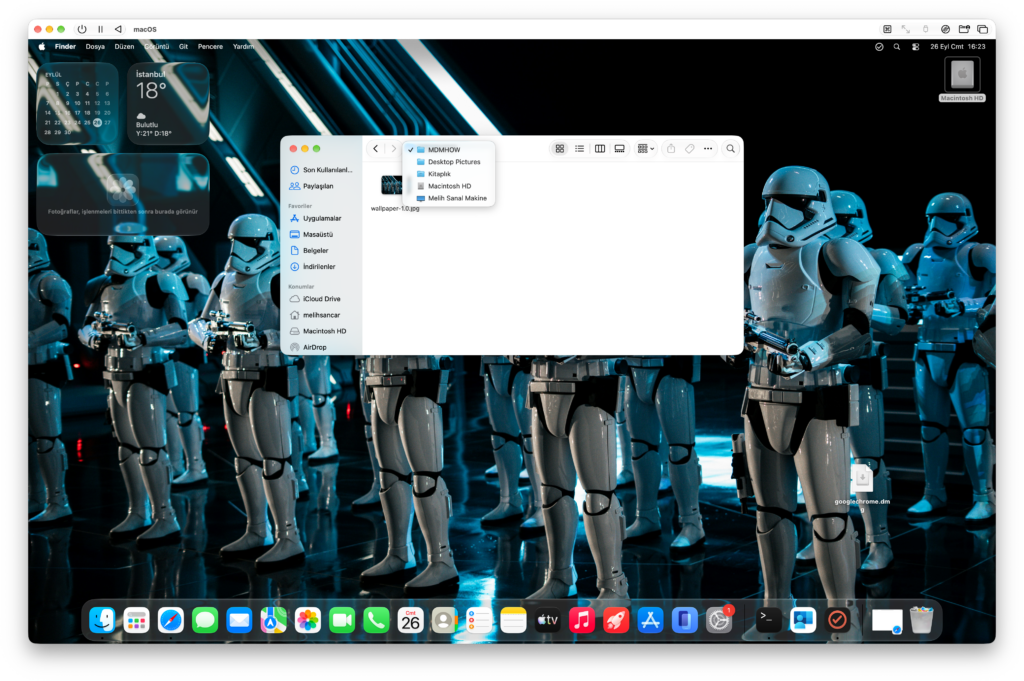
Posterr includes Desktoppr, an open-source project. Thanks to this, you’re not obligated to fix the wallpaper using an additional MDM configuration profile. But if you don’t want the user to change the background, you can still do this. If you want to fix the wallpaper, it creates a folder with the name written in the Organization Folder line on the user device at the address Macintosh HD/Library/Desktop Pictures and puts the image inside it. You can use this as the address.
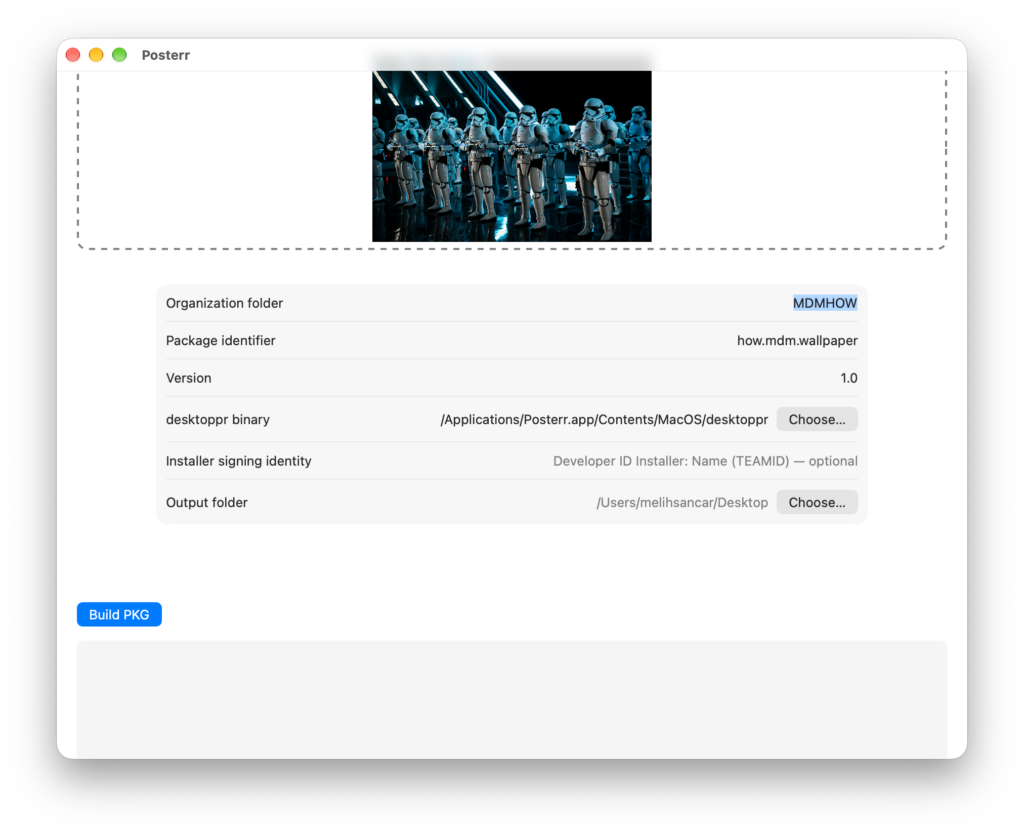
If you wish, before creating the PKG, you can sign the created PKG file by entering your Developer ID account installed in your own computer’s Keychain. But this is entirely optional. If you’re going to distribute and install the PKG file you’ll create via MDM, you don’t have to do this. Because the created PKGs are installed by MDM as an Enterprise Application. It doesn’t get caught by Apple’s Notarization filter.
Finally, Posterr requires macOS 27 as a minimum requirement. It will not work on older systems.
Leave a Reply