
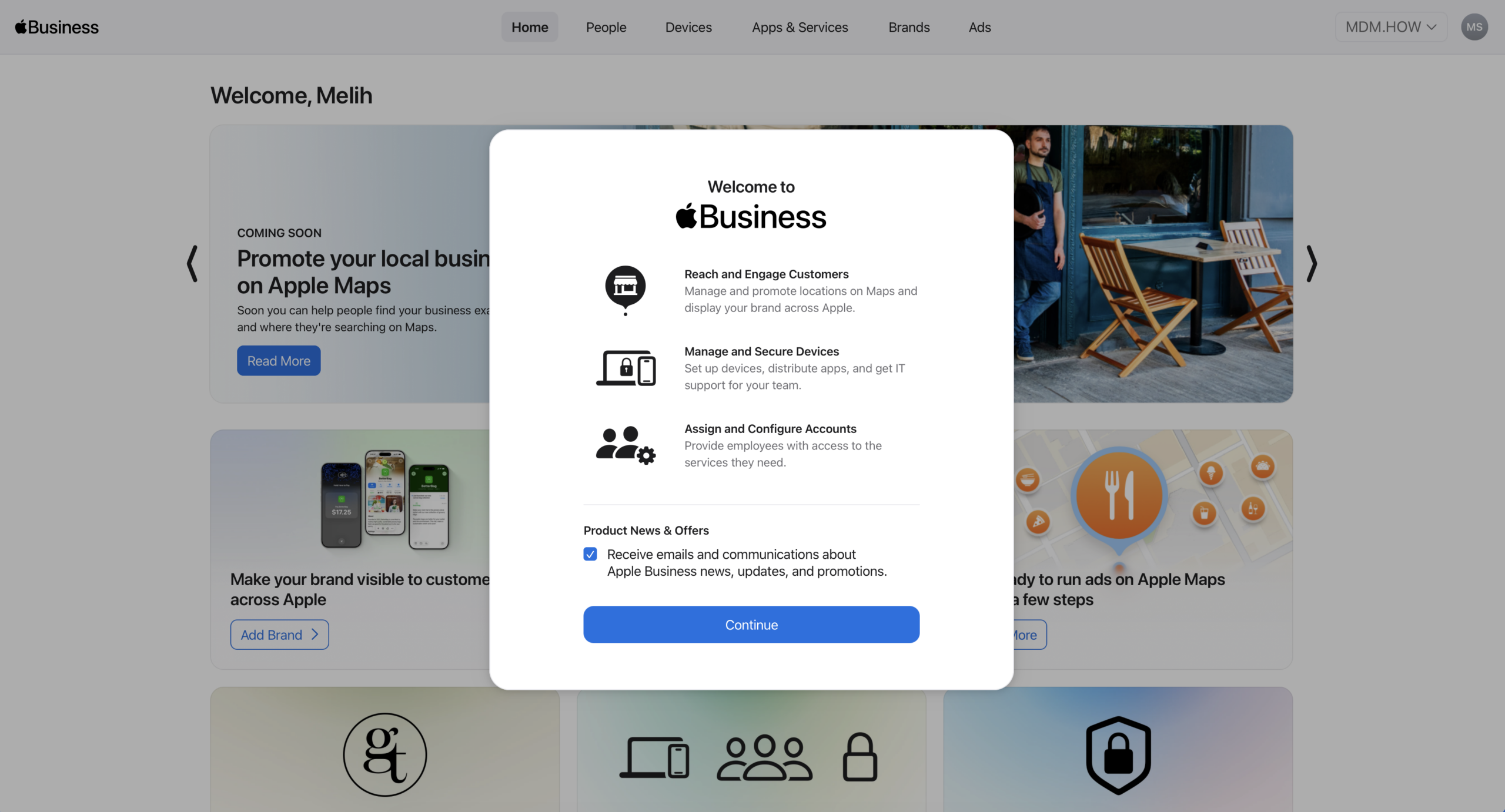
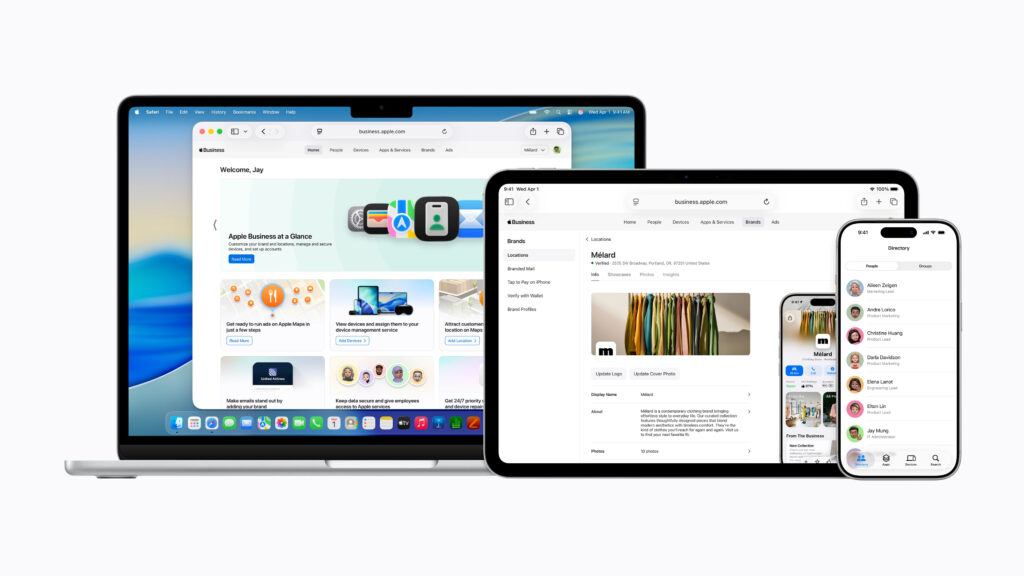
As of today, Apple has transformed Apple Business Manager — which we’ve used and loved for years — into a new structure. This new portal named Apple Business combines some of the services Apple offered within different separate portals for businesses. Among these there’s also an MDM solution. Yes, you read that right, MDM.
Apple Business basically brings together these three services:
• Apple Business Connect (the service through which businesses can define themselves on Apple Maps)
• Apple Business Manager
• Apple Business Essentials (ABM including the MDM service that was open only in the USA)
Is Apple Entering the MDM World?
Let’s give a somewhat political answer to this question. Both yes and no. In the old days, the name of one of the services offered within the MacOS X Server operating system and its extension in recent years, Server.app, was Profile Manager. In those years, Profile Manager was a device management service that used Apple’s MDM schema as-is and offered no other feature. Although Apple said this product shouldn’t be positioned as an MDM, it couldn’t prevent it from being used in production environments. After all, it was a device management service written directly by Apple; organizations naturally trusted it. In those years, Profile Manager was used in many organizations in our country too, both in PoC environments and in production environments.
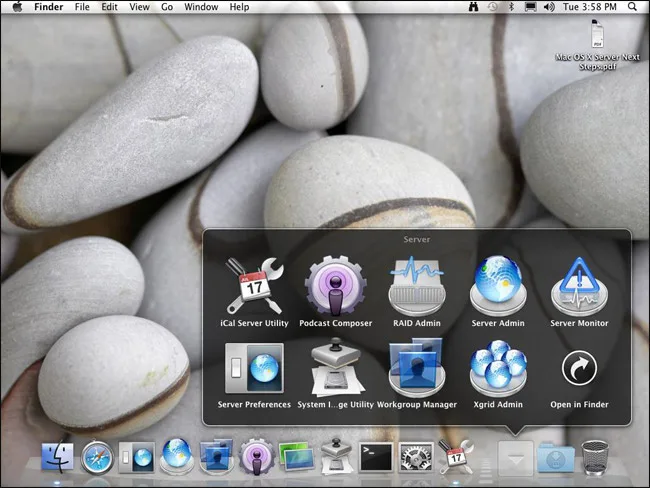
Apple first withdrew its server platforms one by one from production, and afterward discontinued the interim solution, Server.app. It left the subject of managing Apple devices entirely to MDM platforms. Apple basically had two different roles in device management processes with MDM. The first of these roles was being a regulator that writes the Apple Platform Deployment structure and determines the way its own devices can be managed. The other was ensuring that organizations could use the zero touch enrollment deployment method via the Apple Business Manager portal.
In 2020, a new player joined this equation. Fleetsmith. Apple bought this rather little-known MDM vendor. And in the following period, by including it inside Apple Business Manager, it started offering a subscription-based device management service under the name Apple Business Essentials only in the US market.
Above, I answered the question “Is Apple entering the MDM world?” with “Both yes and no.” Yes, as of today Apple is adding a device management service inside Apple Business Manager across 200 countries at once. No, Apple isn’t offering an MDM solution that houses many end-to-end solutions like the heavily used Jamf Pro, Microsoft Intune, Omnissa Workspace One, Iru/Kandji, or Addigy that you know. The new device management service brought is more at a level that can meet the needs of small and medium-sized firms.
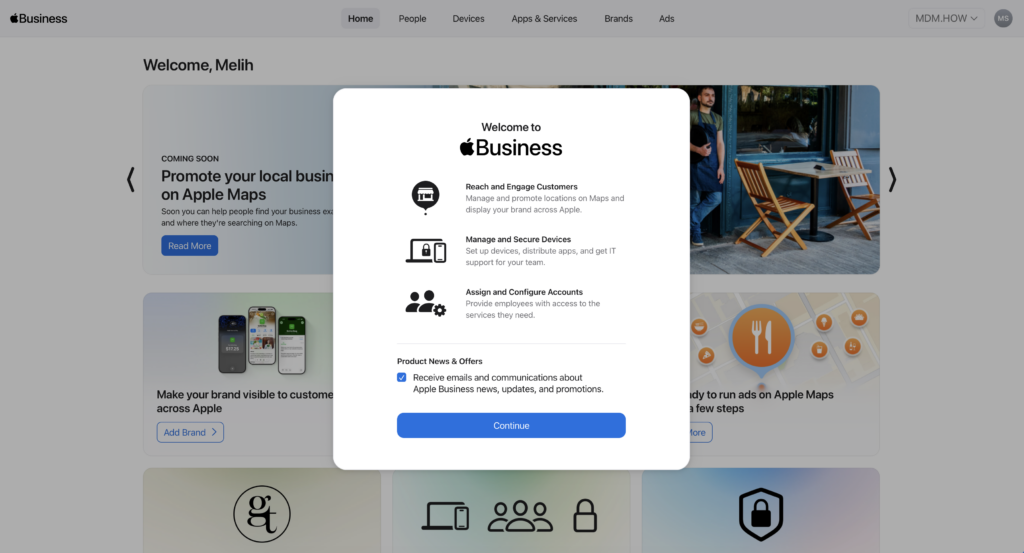
How Does the Device Management Service Work?
Apple Business‘s device management service comes off initially. When you enter the Devices / Management section, the list of the MDM servers you previously defined greets you. When you click the Add option next to the Add Device Management Service option located at the bottom of the list, you encounter a new screen asking which device management service you want to add.
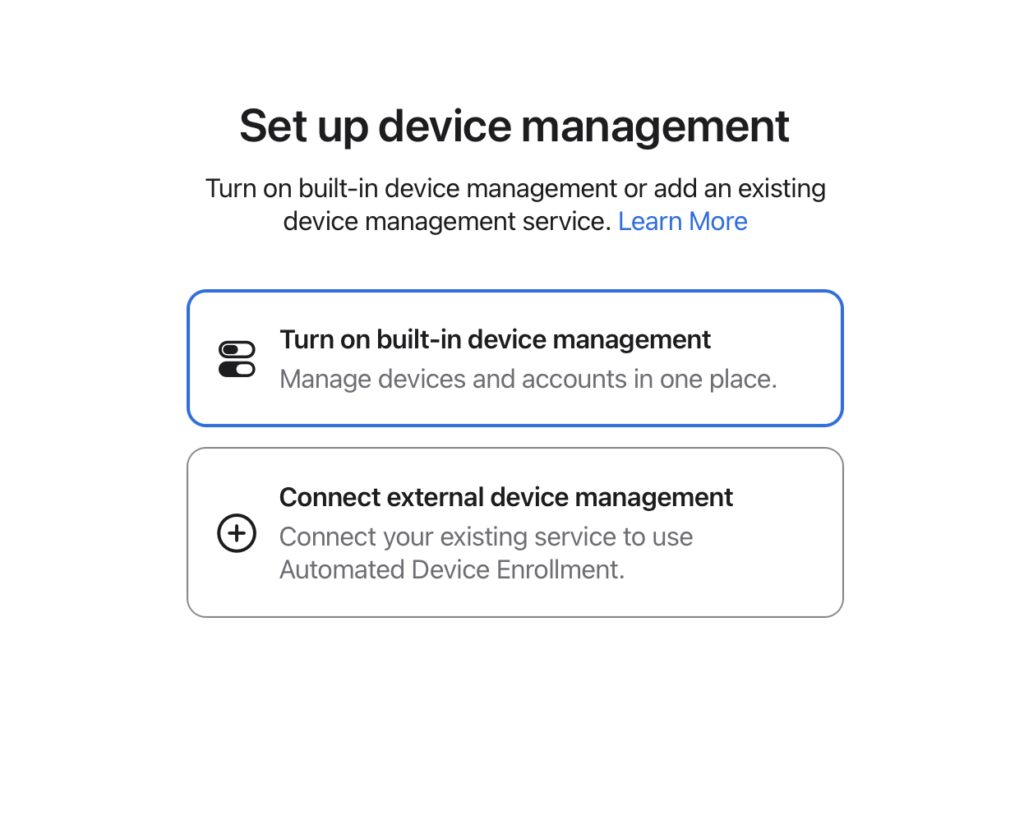
If you proceed by selecting the Turn on built-in device management option on this screen, you’ve activated the built-in MDM feature inside Apple Business. Afterward, just as many of today’s MDM solutions do, you can manage by grouping users, applications, and configurations using Blueprints.
The configurations you can apply are extremely limited. The standard configuration profiles are limited to this list: AirDrop, AirPlay, AirPrint, App Access, Application Layer Firewall, Certificate, Content Caching, Data Management, Energy Saver, FileVault, Gatekeeper, iCloud, Lock Screen, Password and Screen Unlock, Software Update, VPN, Web Clip, Web Filter, Wi-Fi.
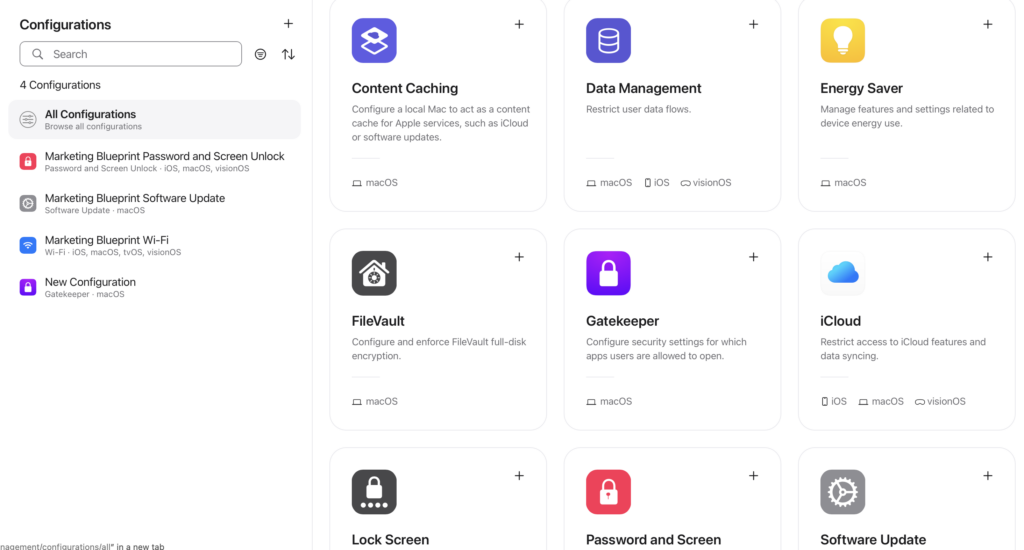
I feel like I’m hearing you say “What more do you want?” But for a corporate company, these will fall short. For example, you can’t do SSO configuration with an IdP. Or you can’t customize Enrollment Profile settings, you can’t set the timing of Software Updates, you can’t send any Script. The one-time commands you can apply are extremely limited… If I write more, the list goes on and on. Don’t say “Oh well, what does it matter, I’ll do it with iMazing and push it” — you can’t do that either. There’s no Custom Profile feature.
Of course, let’s say “for now” for all of this. Over time, the usable Payloads may increase and the capabilities of the existing ones may expand.
Let’s focus not on what’s absent but on what’s present. For example, if you want, you can do application distribution in PKG format. When you want to send applications of this kind, you can also add the System Extension, PPPC, or Login Items configurations that the application requires. You can distribute PKG, but you can’t use Apple servers as a File Distribution Server for the PKGs you’ll distribute. You have to fend for yourself.
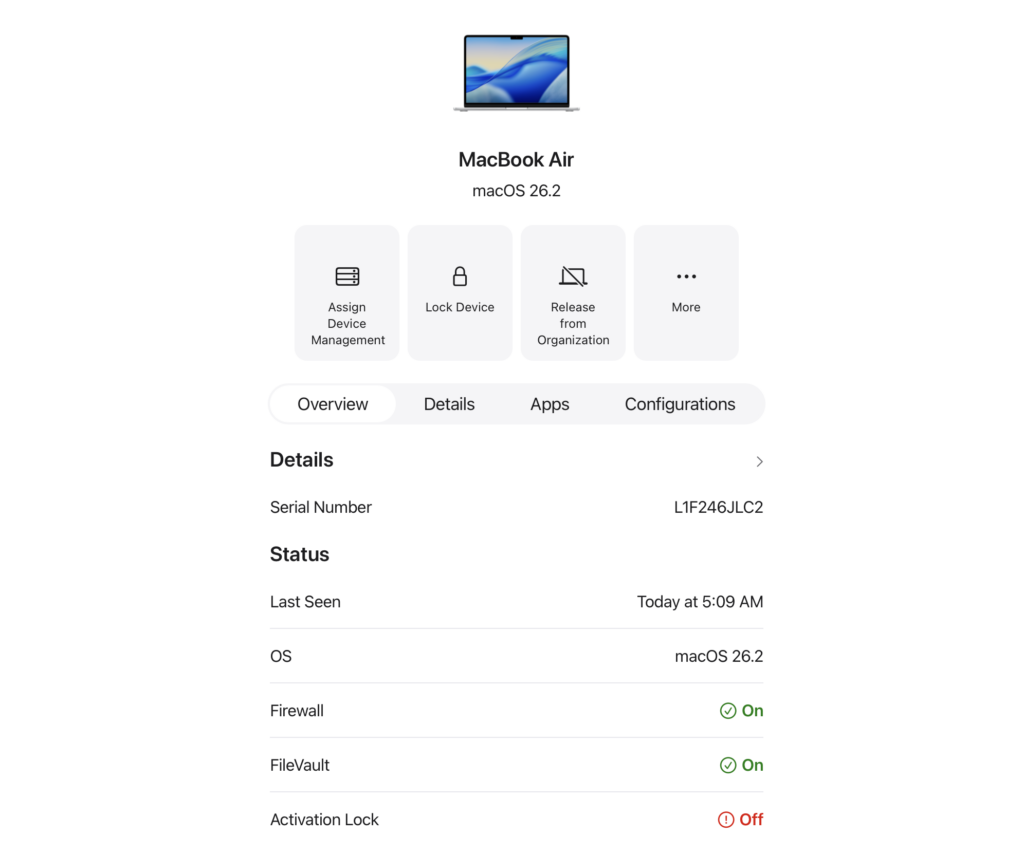
A device enrolled in the built-in device management service looks like the above. From this screen you can lock the device, remotely erase it, and remove the Activation Lock if it’s on. At the same time, you can see the list of the configurations and applications assigned to the device.
What Else Is There?
Apple Business houses all the features of Apple Business Manager. Until now, organizations could determine how, where, and in what way their own brands could appear on Apple Maps via Apple Business Connect. Apple Business Connect has been merged into Apple Business too. You can prepare Maps profiles for your organization or your organization’s brands. In fact, a new user role named Marketing Administrator has also been added for this.
Since it’s now integrated with Apple Maps too, you can get reports containing statistical data on location searches from within Apple Business. You can get this separately for however many locations belonging to your organization there are. With the launch of Apple Business, the option to take ads on Apple Maps also started in the US. This option can’t be used in our country for now.
For user management, you can again connect Microsoft Entra ID and Google Workspace. You can again convert all IdP users to Managed Apple Accounts. Without touching the structure of the Managed Apple Accounts inside, you can determine the email format for the accounts to be newly added. Like firstname-lastname@organizationname.com or firstname@organizationname.com.
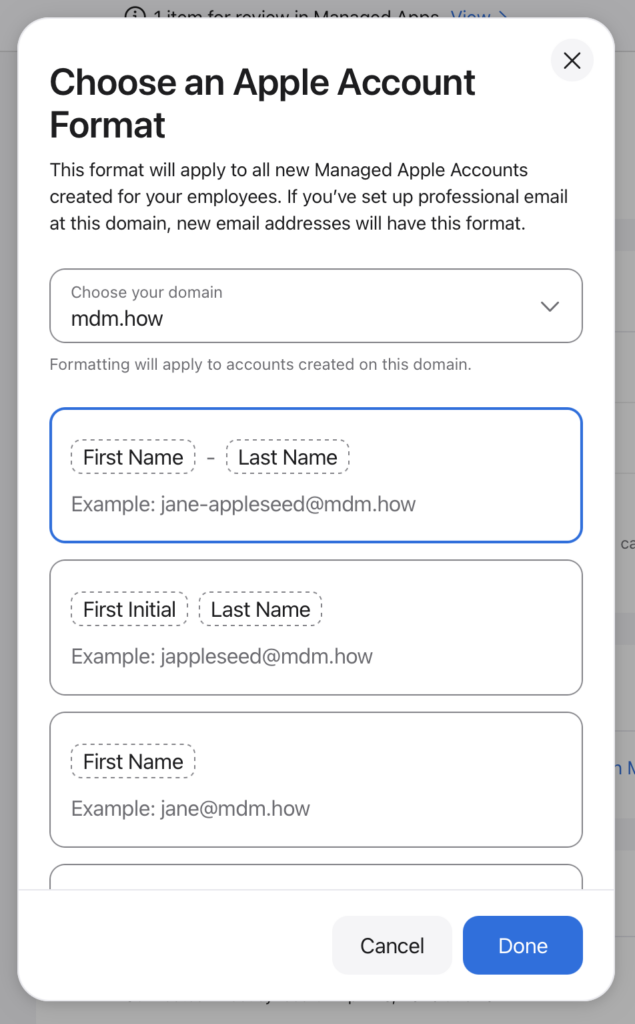
On April 14, 2026, the day I wrote this article, there were some minor issues on Apple Business. For example, you can’t see the list of VPP applications or add them to Blueprints. Or you can’t see the list of locations you added as addresses, and so on… But these will be fixed over time.
Leave a Reply