
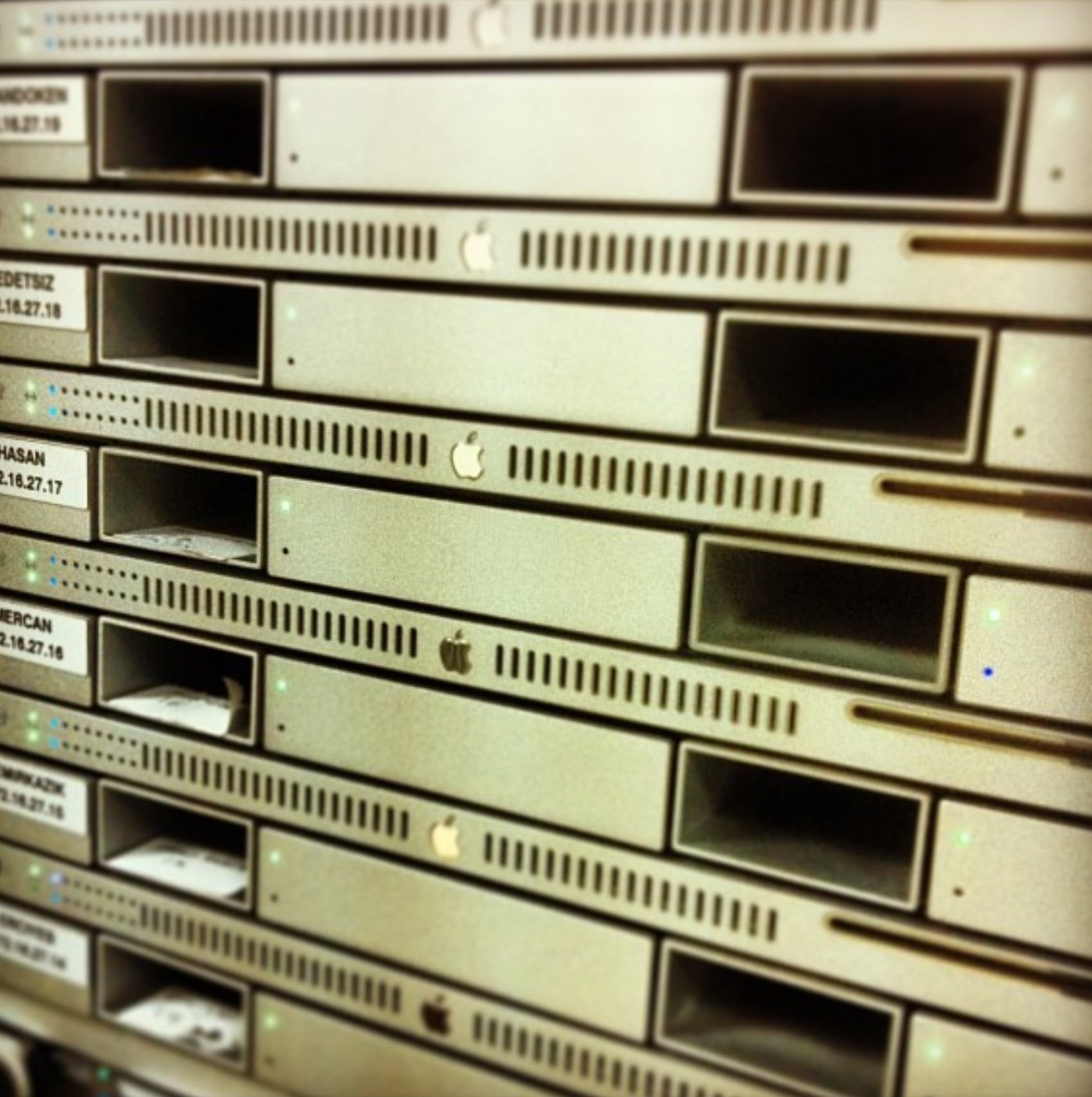
The history of computer technologies can also be considered the history of companies that stepped outside their own shell and set their sights on other areas. Apple too, with the belief that it could find a place for itself in the server market by stepping outside the areas where it was strong, developed server systems from the 1980s until the end of the 2010s. None of those products survived to the present day. If you like, let’s take a look at what these products were and what purpose they served in their time.
A/UX
If you think that the first version of MacOS X, released in March 2001, was Apple’s first UNIX-based operating system, let us take you a bit further back. Apple had released a UNIX-based operating system named A/UX in 1988. This system, positioned mostly for education customers, was offered together with the Macintosh II. The system was developed on top of UNIX v2.2. But it did not have only a command-line interface. As a graphical interface, it could be used with the MacOS 6 and MacOS 7 interface. That is, there was the familiar Finder, Launcher, and so on.
A/UX, of which 3 main versions were released during the period when Apple used Motorola 68000 series processors, was discontinued in 1995 (that is, without ever seeing the PowerPC era).

Workgroup Server / Network Server
A/UX initially did not come with hardware dedicated to it. But over the following years, Apple began releasing server hardware as well. First for the A/UX operating system, then for MacOS. This period, which began with the WorkGroup Server 80 (1993), ended with the Workgroup Server 9650, the server version of the PowerMac 9600 (1998). Server hardware had differences compared to end-user computers, such as a faster bus speed and higher expansion possibilities.
During this period, Apple also released a hardware product called Network Server, which had AIX — IBM’s UNIX adaptation — as its operating system. What was targeted with the Network Server was the hope of being able to set sail into markets outside Apple’s core user base… You may be thinking “Why did Apple make such an absurd piece of hardware?” And I would start listing the many absurd products they made, from the digital camera (QuickTake) to the laser printer (LaserWriter). By the time I finish my sentence, a product like the Network Server might suddenly even start to seem reasonable. 🙂

AppleShare IP
Although AppleShare IP was not exactly a server operating system, it was software that, when installed on the Macintosh computers of the era, allowed those devices to run some server services. That is, it could be considered the first precursor to the job that Server.app would do years later. It included some services like a file server, DNS server, Mail server, and Print Server.

MacOS X Server 1.0 (Rhapsody)
You know the classic story. Steve Jobs was fired from the company he founded, by the board he himself had hired, and afterward founded a new company called NeXT Computer. NeXT was a computer company in which Steve Jobs could fully reflect his perfectionism. It mostly made computers that universities would use and that could be used for scientific research. NeXT also invested in UNIX as an operating system and developed its own operating systems, NextStep and OpenStep, as UNIX-based.

In 1997, while Apple was on the verge of going under, it acquired NeXT Computer, and a short time later Steve Jobs once again took the helm of Apple. Although the general view is “Apple bought NeXT only for Steve Jobs,” in reality everything that existed in the NeXT operating systems of that period had passed into Apple’s ranks.
I think it wouldn’t be too wrong to say that Apple built MacOS X with what it took from NeXT. The first MacOS X Server version came out in 1999, 2 years before the end-user version of Mac OS X with its big-bang Aqua interface. The system’s state at that time was like a version of NeXTSTEP blended with the classic MacOS interface.
Although Apple made several different attempts to revive MacOS, which had fallen significantly behind Microsoft’s Windows, this “Next Big Thing” MacOS version code-named Copland never came to market. Because it was not ready.
Apple used the chance to develop the Mac OS X operating system, with which it would make a great leap, by first testing it on a relatively small user group like the server market. And that big-anticipated release came in 2001 with MacOS X (Cheetah).

WebObjects
WebObjects was a Java-based application framework developed by NeXT, continued by Apple after the Apple-NeXT merger, and later included within Xcode. Unlike some of the other headings in this article, although it did not have a function like offering different services simultaneously, it was used as an application server.
It was used to design many structures like dynamic websites, similar to today’s e-commerce sites. Apple itself also developed its stores like the Online Store and iTunes Store with WebObjects.
MacOS X Server
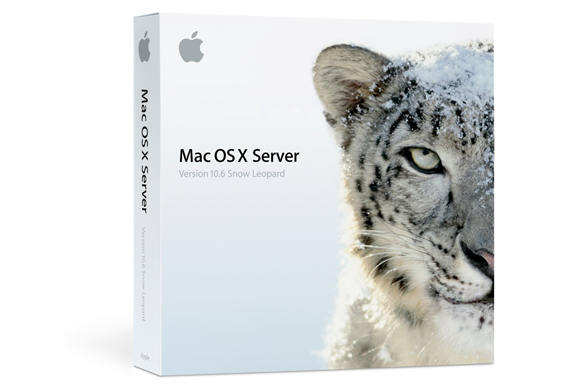
After the first version of MacOS X Server, many versions were released over the years. Its last version reached the macOS 10.6 (Snow Leopard) release. Apple’s end-user operating system updates had begun to be distributed for free from the App Store. However, MacOS X Server was being sold as a paid operating system at that time ($499).
In the period when Microsoft sold a separate CAL license for each user, Apple’s server operating system came with the ability to create unlimited users. The database of these users was kept in Open Directory, Apple’s LDAP implementation.
MacOS X Server, in addition to the services that almost any server environment could provide like Mail, Calendar, FTP, File Server, and Web Server, also contained services specific only to Apple platforms. Like Profile Manager, Time Machine Server, Podcast Producer, XSan, Caching Server, and Netboot…
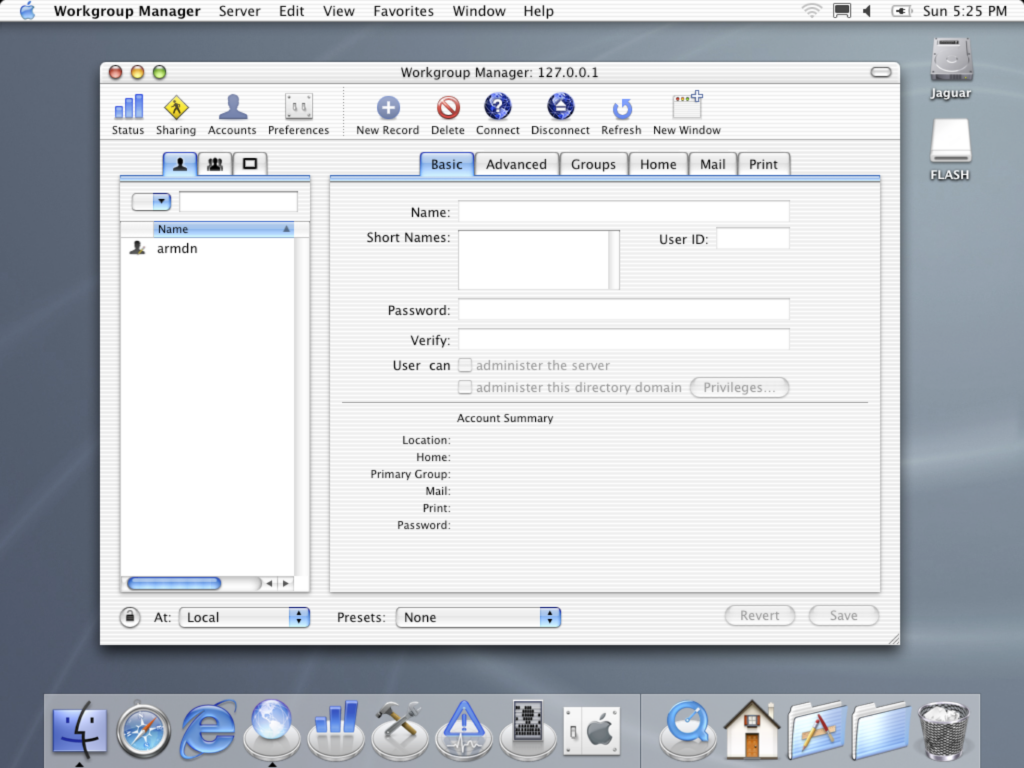
MacOS X Server was software installed on server hardware, and as everyone knows, servers in companies are usually located in isolated data centers. So that a user from outside the data center could also access the server and configure the services, a tool set called Server Admin Tools, to be installed on any Mac, came with it. A user who installed Server Admin Tools on their computer thereby obtained applications like Server Admin and Workgroup Manager.
The stable versions of MacOS X Server were used abundantly in our country and the world. In the periods when imaging was possible on pre-T2-chip Macs, services like Netboot and NetInstall were very popular.
Snow Leopard Server became the last version of MacOS X Server. It later received various security updates, but the last of those had come in 2011.
xServe
In 2002, Apple made a move that was not much expected of it at that time. And it announced the xServe, a rack-mount server hardware. Over different years, G4, G5, and Intel Xeon processor versions of the xServe were used. You may still come across the Xeon-processor versions being used in some organizations in our country. Depending on the year purchased, it came with the MacOS X Server operating system internally. Each model came with hot-swap disk bays. For capacity expansion, it was possible to make updates to the disk capacity by purchasing modules called Apple Drive Modules.

For higher disk capacity requirements, a storage unit called XServe RAID also joined the xServe product family in the following years. The XServe RAID came with 14 hot-swap disk bays on it. As maximum capacity, it offered disk space of over 10 TB. Today these figures seem a bit funny to us, of course. But for the mid-2000s, this meant serious storage capacity. A software called Raid Admin also came with it to manage the XServe RAID‘s disk structure.
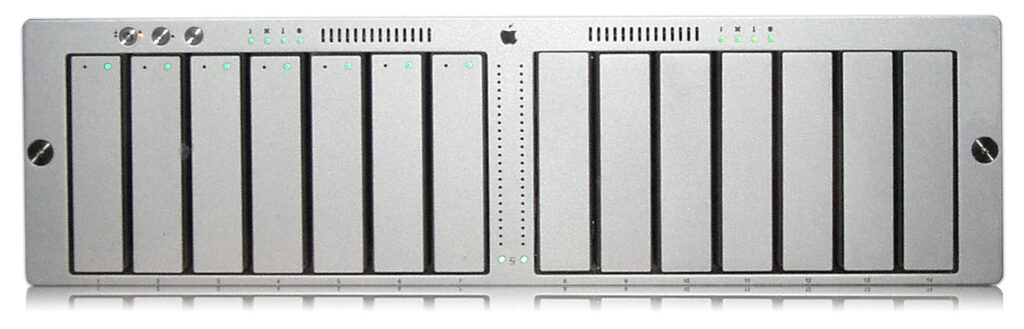
The xServe was a 1U device, and the XServe RAID a 3U-height device. After those years, Apple only began offering a hardware option that could be placed in server racks with the latest-generation Mac Pros. And this happened only after 2023. In the time that passed in between, companies wanting to do a PoC by placing a single Profile Manager server in the racks in the data center had to put a single Mac mini among the gigantic servers. In fact, additional accessories that could place the Mac mini in server racks even came to market for this.
Server App
Apple decided to discontinue its server systems, probably because it could not reach the sales figures it expected in the server market. In 2009-2010, first the xServe went. Then MacOS X Server. But along with this, there were also many organizations using the ‘Apple-Specific’ server services I listed under the MacOS X Server heading above. So that these organizations could continue to offer their server services on any Mac, Apple developed an interim solution and put an application named Server on the Mac App Store.

The Server App initially offered fully-featured server services like MacOS X Server. In this context, you could configure all of the services like Mail, FTP, Web, File Server, DNS, and DHCP. Besides these, it also contained Apple-specific services. Like Profile Manager, Caching Server, Time Machine Server, Netboot/Netinstall…
The Server App was significantly cheaper than the MacOS X Server operating system ($49). Many organizations used the Server App by installing it on Mac minis or even MacBook Pros for services that would not require a large number of users to connect simultaneously. Especially Caching Server, Time Machine Server, and Profile Manager were used until their final days.
During this period, Apple also released a Server version of the Mac mini to make things easier for some organizations. These devices, which could be configured with dual SSDs when needed, worked as affordable workstations.
In 2022, Apple published an article announcing that it would also discontinue the Server App. The same article addressed third-party solutions that could be used for each Server service. Before the Server App‘s end, it moved some of its services into the client operating system. Since macOS 10.13 (High Sierra), we can use the Time Machine, File Sharing, and Caching Server services directly from within macOS.
Although Apple made the discontinuation decision in 2022, the push notification certificates of the Profile Manager service on installed Servers remained valid until April 14, 2025, and could be used until that date.
So Was That It?
No, it wasn’t. After Apple discontinued its server-based products, it moved the subject to a completely different plane.
In the server field, there were much more widely accepted brands and very good products, both in software and hardware. Competing with them would lead to too much loss of time, effort, and money.
But Apple opened its path to becoming an important player in the corporate market through a completely different channel. As you all know, the iPhone, which came to market in 2007, was suddenly met with enormous interest. Although Apple’s actual aim was not to position the iPhone in the corporate market from day one, various organizations began purchasing iPhones in multiple quantities. Upon this, Apple began distributing software called iPhone Configuration Utility for free to configure iPhones in bulk via configuration profiles. For both macOS and Windows… mobileconfig documents entered our lives from that moment on.
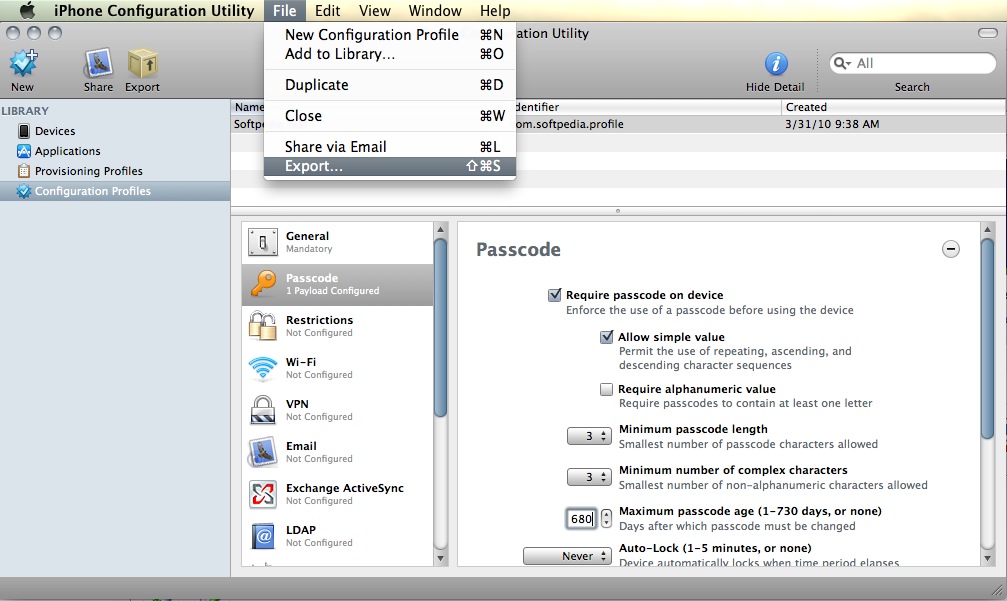
Did the iPhone Configuration Utility‘s interface look familiar to you? iPCU can be considered the ancestor of today’s Apple Configurator. Right after it came the APNS service and finally the MDM Protocol for iOS.
Apple, as a company that develops its operating systems itself, set the rules for which area in its systems could be managed and which areas could not be managed. We today call this rule book Apple Platform Deployment. Third-party companies that based themselves on this rule book developed their MDM products. All the companies that previously performed management in the logic of running scripts remotely with RDP and ssh, in the format that the Apple Remote Desktop software did, reshaped their products according to the MDM Protocol.
And now, it has begun to change the structure of the MDM protocol with DDM (Declarative Device Management).
One Last Thing…
I think everyone reading this article has heard of Apple Business Manager at least once. But had you heard of Apple Business Essentials? Apple acquired Fleetsmith, an MDM vendor, in 2020. And a year later opened it for beta use under the name Apple Business Essentials. Apple Business Essentials is currently only available in the US. It works like a service living inside Apple Business Manager. In its current form, it is not a service that can be used for all needs end-to-end in large projects. It is a product positioned more for managing the devices of small companies and workgroups. That is, it is not in a structure where one could say “So Apple has an MDM, let’s burn Jamf and Workspace One and switch to it.” Not yet.

April 2026 Update
Approximately 1.5 years after writing the article you read above, Apple made a change to the structure of Apple Business Manager. While we were expecting Apple Business Essentials, the device management service, to open up to the rest of the world, Apple took a different direction with the update it made in April 2026. It shortened the name Apple Business Manager to Apple Business. It added a built-in free device management service inside it. It added the Apple Business Connect service, which allows organizations to mark their own addresses on Apple Maps.
As of April 14, 2026, all Apple Business Manager accounts were updated to Apple Business.
Leave a Reply