

As of January 28, 2026, Apple combined the Keynote, Numbers, and Pages applications under a single roof on all operating systems with the Creator Studio subscription. Within the scope of this bundle are Apple’s professional content production tools like Final Cut Pro, Motion, and Logic Pro, along with the applications formerly named iWork. But this transition can create serious confusion for both end users and IT administrators.
What Are the Topics That Will Create Confusion on the User Side?
1. Double Application Icon
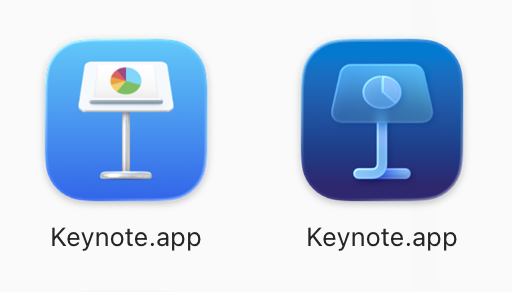
This update is technically not a “patch” but the installation of a completely “new application.” And this situation will lead to the following problems for users: same name, double application. Although the old and new versions sit in different places on the disk, the Display Name in Finder is the same. Two Keynote icons will appear in the user’s Applications folder. Users will have difficulty distinguishing which version (the old free one or the new subscription one) they’re using.
2. Update Warnings
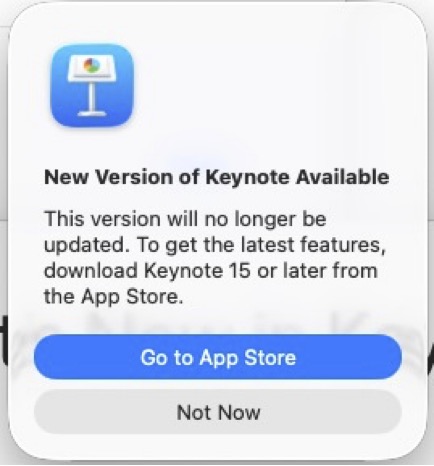
When the user accidentally opens the old version, they will get a “New version available” warning, but since this is technically a different application, the standard update process may not work.
What Is the Situation for Admins?
Things are complicated for Apple system administrators too, because the Bundle IDs have changed:
- New ID:
com.apple.Pages(shared with iOS) - Old ID:
com.apple.iWork.Pages(Mac-specific)
You need to license and distribute the new versions from scratch via Apple Business Manager. But to prevent two applications with the same name from being on your users’ screens, you must absolutely delete the old iWork versions from the devices. Otherwise, update warnings and duplicate icons can explode support requests.
If there are PPPC and Notification configurations tied to this, you also need to update them according to the new Bundle ID information.
The Bundle IDs of all the applications within the scope of Apple Creator Studio are as follows:
Final Cut Pro – com.apple.FinalCutApp
Compressor – com.apple.CompressorApp
Motion – com.apple.motionappApp
Pixelmator Pro – com.apple.pixelmator
Logic Pro – com.apple.mobilelogic
MainStage – com.apple.MainStageApp
Keynote – com.apple.Keynote
Pages – com.apple.Pages
Numbers – com.apple.Numbers
Freeform – com.apple.freeform
Leave a Reply