
There are only a few days left until WWDC 2026. At this year’s WWDC conference, Apple will announce the 2027 versions of its own operating systems. It had announced a while ago that in macOS 27 — whose code name and new features haven’t been announced yet — it would cut off the support it gives to Intel-processor devices.
However, unlike Apple’s first announcements, it appears it will continue Rosetta support in macOS 27 too. And this means that even after macOS 27 is released, we’ll be able to continue using applications developed for the Intel (x86) architecture. The Rosetta support expected to be cut off in macOS 27 has been left to macOS 28. In fact, Apple says that even in that one it will give support to old games with Rosetta 2. You can reach the original announcement from this address.
So if I’m to answer the question I asked in the title; as hardware, Intel-processor devices will not run macOS 27. But we’ll be able to continue using applications developed for Intel with Rosetta 2 on macOS 27.
What Was Rosetta?
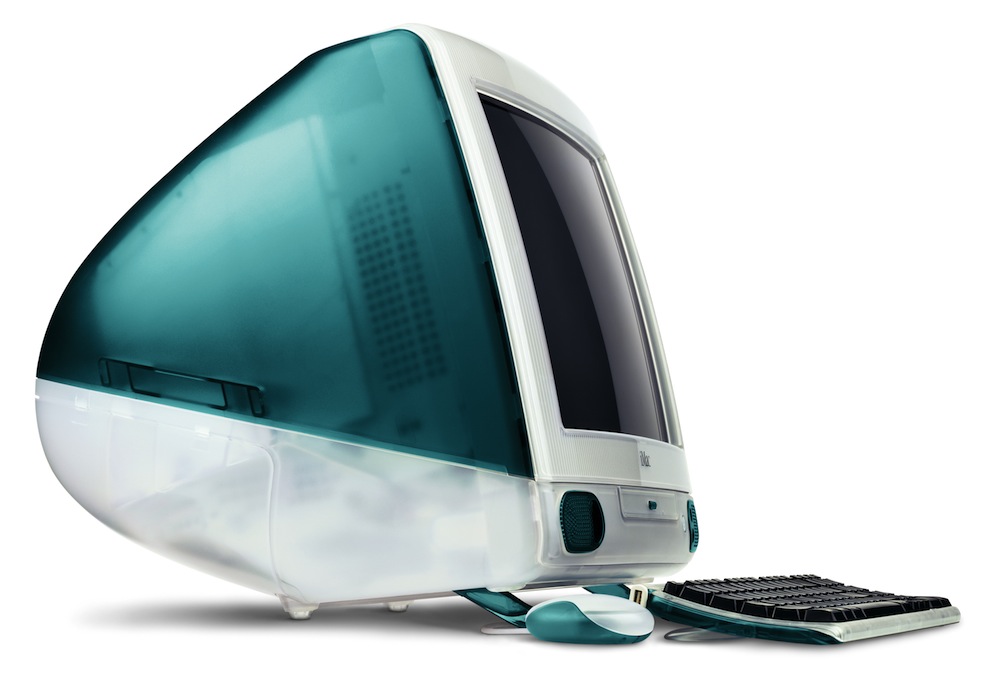
First let me give a bit of historical information. Before 2006, Apple used RISC-based PowerPC processors designed based on the POWER processor family, which were IBM‘s server processors. If you hear processor or hardware series names from that period like G3, G4, G5, know that these were all devices using PowerPC processors. For example, the first iMac with a transparent turquoise case, which everyone has seen at least once, used a PowerPC G3 processor.
In 2006, taking into account the heating problem of PowerPC processors, Apple decided to switch to using Intel processors, which were more suitable for them. The PowerPC – Intel transition was not just a simple “processor brand change.” For example, today a manufacturer like HP or Dell can prefer Intel or AMD‘s processors for its different hardware. Which processor brand it will use doesn’t mean, for HP for example, that it changes its whole world.
But Apple’s transition from PowerPC to Intel, as I wrote above, was not a simple brand change but meant a transition from a RISC-based processor to x86. And this meant that no application running on PowerPC-processor Macs would run on Intel-processor Macs. Apple used a translator named Rosetta so that this transition could be extremely transparent in the eyes of users. A user who bought an Intel-processor MacBook Pro in 2006 (and the name of the PowerPC version of the same computer was PowerBook) could install and directly use an old piece of software. Thus there was no need to wait for that software’s manufacturer to release the Intel Mac version of the same application.
The Apple Silicon Era
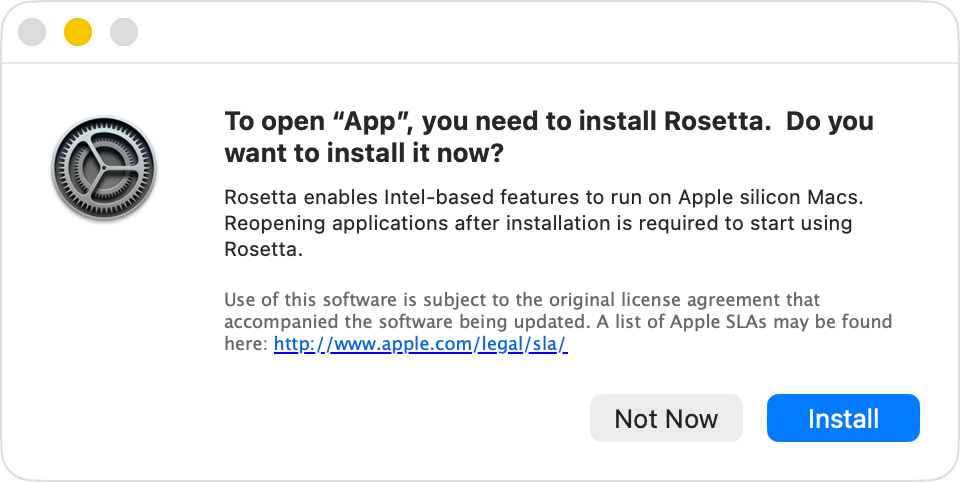
The exact same story you read in the lines above was written again in 2020. This time Apple was abandoning Intel processors and switching to its own ARM-based processor, the Apple Silicon chips. This time too, it released Rosetta 2 for all applications developed for Intel-based Macs. When you wanted to run an application developed for the Intel architecture on any M1-processor computer, a warning window came up asking whether you wanted to install Rosetta. When you approved this, first the small piece of software Rosetta 2 was installed, then your Intel-based application was installed.
Apple system experts who do device management with MDM have been using the following code since 2020 to be able to automatically install Rosetta on all devices anyway. End users can also do the Rosetta 2 installation by writing the same code into Terminal without waiting for an Intel-based application to trigger the Rosetta installation.
softwareupdate --install-rosettaFor application developers to update their own applications for Apple Silicon is of course the most ideal solution in order to benefit from the processor’s real power. But until this happens, we can say that Rosetta did a very good job so as not to leave the user an orphan.
How Will I Tell What Kind an Application Is?
If you open the Applications / Utilities / System Information application and scroll toward the Applications section from the left column, you can see a list of all the applications installed on your computer. Don’t let the length of the list surprise you; every application installed together with the operating system is also listed here.
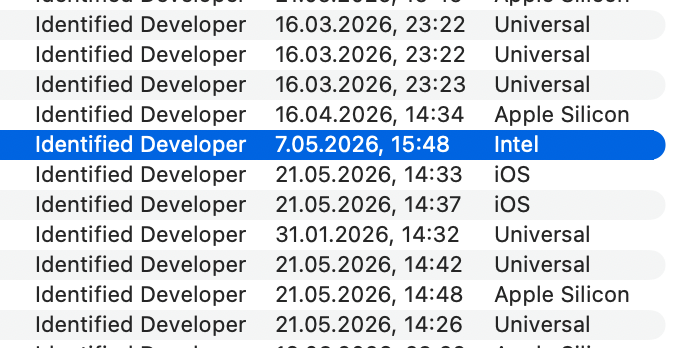
The Universal applications appearing in this list describe applications that can run on both Intel- and Apple Silicon-processor devices.
The ones that say only Intel are applications that will no longer be supported after macOS 28. The software companies that develop them have one more year left.
And applications that say Apple Silicon can only run on M1 and later. You can’t run an application of this kind on an Intel-processor Mac.
Finally, if you haven’t noticed until now, let me announce it on the occasion of this article. After the Apple Silicon transition, many iOS applications can also be installed on Macs. Therefore, you can also see iOS applications as a type in the System Information application.
Leave a Reply